Best AI Writing Tools in 2026: The 9 Tools Every Writer Needs
| Quick Answer: The best AI writing tool depends on your writing needs. However, the best writing tools every freelance writer should have include ChatGPT, Gemini, Grammarly, NeuronWriter, and ReHumanize AI (by JBCONTENTLAB). |
Writing has changed a lot. You’re sitting at your laptop, needing to create engaging content for your audience. Sometimes, you may have to meet tight deadlines or deliver multiple articles, which can feel overwhelming.
The good news is – you no longer have to deal with all of these on your own. AI writing tools have moved beyond simply assisting writers in creating engaging content. They are helping us with SEO, proofreading and also with in-depth research.
So, as a competent writer, you’d be falling behind if you didn’t have the best AI writing tools in your arsenal right now in 2026.
And I guess, you’re reading this post because you want to hone your writing game.
In the next few minutes of this guide, I’ll walk you through the best AI writing tools for freelance writers, bloggers and authors.
Sound’s good? Let’s get right into it!
The Best AI Writing Tools in 2026 at a Glance
Before I get into this vetted list of the best AI tools for writing, here is a quick glance if you’re reading this during a lunch or coffee break.
| Tool | Best For | Price Starts At |
| ChatGPT | Versatility | Free / $20 |
| Gemini | Google Ecosystem | Free / $20 |
| Grammarly | Editing | Free / $12 |
| ReHumanize AI by Jbcontentlab | Humanization | $2 |
| Neuronwriter | On-page SEO | $19 |
| QuillBot | Paraphrasing | Free / $9.95 |
| ProWritingAid | Authors | $10 |
| Hemingway | Readability | $10 |
| Sudowrite | Fiction | $19 |
How I Vetted the Best AI Tools for Writing in 2026
Well, this isn’t just a random list of tools we came up with and named the “best” AI writing tools in 2026. Seriously, far from that.
Each tool featured here has been thoroughly tested across a range of tasks when it comes to writing. I vetted their ability to create and edit content, optimize for SEO, bypass AI detectors, and the list goes on.
Writing, you’re well aware of, requires a variety of tools to manage diverse tasks. A novelist needs different features compared to a blog writer. An author pays little or no attention to on-page SEO.
This list covers a range of content writing areas, not just writing.
Pricing was really important too. I explored free plans, trial versions and paid subscriptions for each of the tools in each niche. Some tools offer generous free plans, while others lock key features behind a paywall.
Now that we’ve cleared how each tool was vetted, let’s dive into the crux of the article.
PS: Just between us, the AI writing tools used in writing this content were Gemini, Rehumanize, Grammarly, NeuroWriter and Hermingway. And of course, manual research and proofreading.
9 Best AI Tools for Writers in 2026
Thank you for sticking around until this point. Here are the best AI tools for writers and authors in 2026 if you’re seriously looking to optimize how you work as a freelance writer or blogger.
1. ChatGPT
ChatGPT remains the most versatile AI writing assistant available in 2026. It covers tasks ranging from generating blog article ideas to creating detailed technical documents. The tool excels in understanding context and adapting to various writing styles. Whether you need to create product descriptions or come up with email campaign ideas, this tool has got you covered.
Although the free version is based on GPT-40 mini, it outperforms many paid AI writing tools created just 2 years ago. You can send an infinite number of messages with reasonable response times. The clean and minimalistic interface – devoid of cluttered dashboards or confusing menu options – allows you to focus on your writing. Simply put in your request and get relevant information.
If you are a serious content creator, the paid version offers access to GPT-40 and other advanced language models capable of dealing with longer contexts and creating more detailed content. You get priority access during busy hours and features such as image creation and web browsing. The AI writing assistance becomes even better with enhanced fact-checking capabilities and fewer instances of “hallucinations” (incorrect or made-up information).
One thing that sets ChatGPT apart is its ability to understand your needs. Need to reword something in a different tone? Done in seconds! Need to generate 50 different headlines? Easy! It retains context from previous conversations, allowing you to develop and refine your ideas through a series of questions and answers. From start to finish, this tool is useful throughout the content creation process.
ChatGPT Pricing
The free plan gives you full access to the platform, with some restrictions on language model selection. ChatGPT Plus costs $20 a month and provides access to all languages, including GPT-40. You enjoy faster responses and uninterrupted access, even during peak hours. If you need the tool for your team or business, ChatGPT Team starts at $25 per user per month, with collaboration features.
ChatGPT Pros and Cons
-
Can handle almost any writing task, from creative writing to creating technical documents
-
The free plan offers good value with unlimited chat options
-
Maintains context throughout lengthy conversations
-
Can adapt to various writing styles and tone in no time
-
Regular updates of the language model improve the quality of content
-
Can create and analyze images along with text
-
A large community of users means plenty of suggestions and strategies to try!
-
The free version experiences capacity problems during peak hours
2. Gemini
Gemini has become one of the best free AI writing tools available in 2026. Google created this AI to directly challenge ChatGPT and provide effective solutions for content writers who need reliable AI assistance without spending a rupee.
Gemini integrates smoothly with Google Workspace, providing good opportunities for those already using Docs, Sheets or Gmail.
What sets Gemini apart is its ability to fetch real-time information from Google Search. Whether you are creating content on current events or need to keep yourself updated with the latest information, Gemini provides you with relevant and up-to-date information based on the current world scenario, rather than relying on outdated training data.
The free version runs on Gemini 3 (Fast, Thinking & Pro), which handles all necessary writing tasks effectively. It allows you to create blog posts, social media content, emails, and marketing strategies. The AI’s understanding of context is strong and maintains consistency across longer content pieces. Gemini’s response time remains quick even during peak hours.
If you need advanced features, Gemini AI Plus provides a wider context window. You can analyze large documents, compare different sources of information or work on long articles without feeling disoriented about details mentioned earlier.
Gemini Pricing
Gemini offers a good free plan with no daily limit. You get to enjoy all the basic capabilities of writing, researching and general AI assistance. Google AI Plus costs $7.9 per month and includes 200 monthly AI credits, 200GB of Google Drive Space, and integration with Gmail and Docs. Thus, it is one of the affordable AI writing tools available for professional content writers.
Gemini Pros and Cons
-
Good free version with unlimited messages
-
Get real-time web access to keep yourself updated with the latest information
-
Seamless integration with Google Workspace
-
Good multilingual capabilities
-
Big context window for detailed analysis of lengthy documents
-
Quick response time, even on the free version
-
Good fact-checking abilities via Google Search
-
Gemini’s UI/UX is less polished than ChatGPT’s!
3. Grammarly (Best for editing)
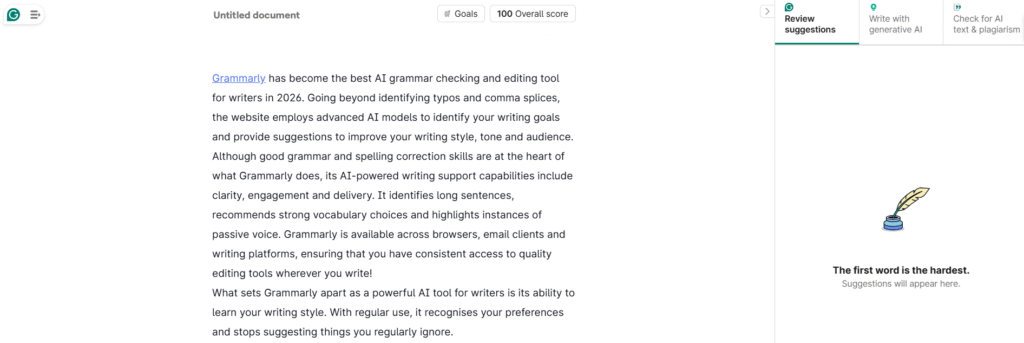
Grammarly has become the best AI grammar checking and editing tool for writers in 2026. Going beyond identifying typos and comma splices, the website employs advanced AI models to identify your writing goals and provide suggestions to improve your writing style, tone and audience.
Although good grammar and spelling correction skills are at the heart of what Grammarly does, its AI-powered writing support capabilities include clarity, engagement and delivery. It identifies long sentences, recommends strong vocabulary choices and highlights instances of passive voice. Grammarly is available across browsers, email clients and writing platforms, ensuring that you have consistent access to quality editing tools wherever you write!
What sets Grammarly apart as a powerful AI tool for writers is its ability to learn your writing style. With regular use, it recognises your preferences and stops suggesting things you regularly ignore.
The artificial intelligence-enabled writing partner provides services for formal or informal, technical or creative writing. If any part of your writing appears awkward, Grammarly offers alternatives to help convey your meaning more clearly and improve its flow. A single click is enough to change the tone of your writing – ranging from professional to casual.
The AI detection feature helps you identify the parts of your content that were created using Artificial Intelligence and require human touch. However, it’s good that you know that the AI humanizer still gets flagged by advanced AI detectors.
If you are a professional writer or content creator, the plagiarism checker can scan billions of web pages to ensure that your work is original. The feature for providing citations helps academic writers to give due credit to their sources.
You might also want to read: The best editing tools for writers in 2026 if you need professionaly polish content.
Grammarly Pricing
Grammarly offers a free plan that provides basic grammar, spelling and punctuation corrections. The premium plan costs $12/month (billed annually) and offers advanced features such as tone detection and plagiarism checks. Business plans start at $15 per user/month and include features such as team collaboration and brand voice tools.
Grammarly Pros and Cons
-
Identifies grammatical and spelling errors missed by other writing tools
-
Seamless integration with all writing platforms
-
Provides AI-based tone adjustment options to suit various audiences
-
Understands your individual writing style over time
-
An advanced plagiarism detection tool for academic and professional purposes
-
A clean interface with no distractions from writing
-
Mobile keyboard integration for editing on the go
-
Limited advanced features in the free plan
4. ReHumanize AI by JBCONTENTLAB (Best AI Humanizer)

ReHumanize AI by Jbcontentlab stands out as the best AI humanizer in the market in terms of performance as well as pricing. Are you creating content with the help of AI but need it to pass through AI detection tools unflagged? Then this is the solution for you! The tool can handle texts created by ChatGPT, Claude, Jasper or any other tool you use.
Simply paste the text, and ReHumanize AI rewrites the sentences, varies the word choices and gets rid of patterns detected by AI detectors. Although written in a natural language tone, the output retains its original meaning just as if written by a human being.
What sets ReHumanize AI apart from its competitors is its ability to preserve your ideas. Unlike many humanizers, which distort your content in their attempts to fool detectors, ReHumanize AI ensures to maintain all key points while implementing strategic changes to sentence construction and vocabulary.
The output itself seems to adhere to what a human might write. Rehumanize AI comes equipped with a built-in grammar correction tool to polish your humanized content. You can also access Readbreeze, a sophisticated tool to improve readability and engage your audience. With this combination, ReHumanize AI is not just a tool to humanize AI content but a comprehensive content creation tool.
New users can enjoy a 500-word monthly limit after signing up. This is sufficient to try out the tool on a complete blog post and understand whether it meets your requirements.
Need more time to try out ReHumanize AI before subscribing? You can opt for a 3-day trial period for $2. You get 8000 words to thoroughly experience the features of this platform!
Rehumanize AI Pricing
The Basic Plan starts at $9 per month, offering 25,000 words. It includes the Grammar Checker and Readbreeze. For heavy users, the Standard Plan costs $18 per month, providing 70,000 words. Both plans provide all necessary features to humanise AI-generated content!
Rehumanize AI Pros and Cons
-
Best performance for bypassing AI detectors
-
Retains the original meaning better than competitors
-
Includes a grammar checker and text readability feature
-
Reasonable price point when compared to similar tools
-
Generous free trial option and affordable 3-day extended trial offer
-
Works with content from any artificial intelligence writing tool
-
Simple and clean interface that is simple to use
-
There is no unlimited plan available
PS: If avoiding being flagged by AI detectors is very important, here are the Best AI humanizers for writers in 2026
5. NeuronWriter (Best for on-page content optimization)
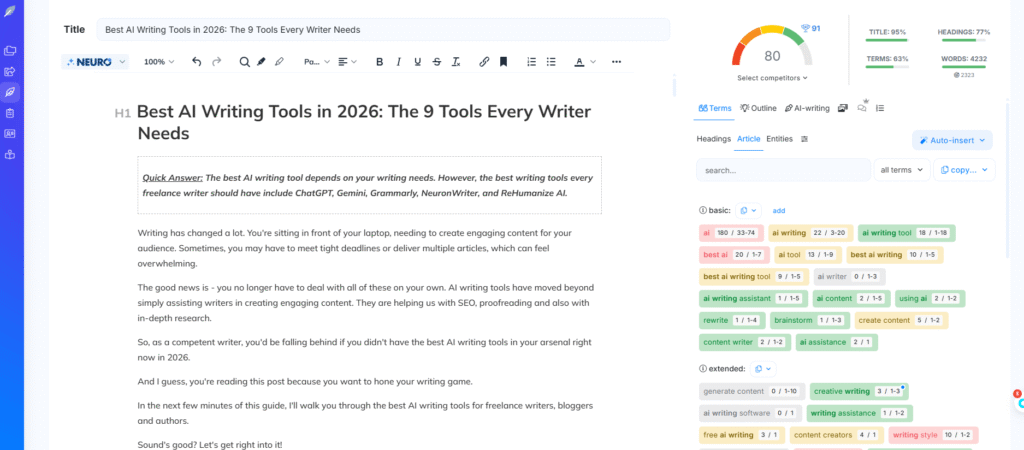
NeuronWriter is, without a doubt, one of the best on-page SEO tools with its advanced AI-based content creation tools. If you need content that can help improve your website’s ranking, then this is the tool for you.
NeuronWriter combines AI-driven content creation capabilities with in-depth SEO tools to create engaging content loved by readers and search engines alike.
The tool begins with competitor analysis. You input your target keyword, and NeuronWriter provides detailed information about the top-ranked web pages. It gives details about the topics covered, keywords used and the structure of the content. You get a clear direction from Google of what is required for that particular keyword.
NeuronWriter has a robust content editor. While creating content, it shows your content score in real-time. The AI tool suggests relevant keywords to incorporate, an ideal word count and content gaps you can fill. You can compare your draft with that of your competitors and identify areas of improvement.
The platform deals with all technical SEO aspects, too! It analyzes your headings, meta descriptions and content structure. The AI content writing tool offers suggestions to enhance your website’s visibility. The suggestions range from adding more H3 headings to incorporating certain semantic keywords within the next 200 words.
NeuronWriter offers a batch analysis feature that caters to the needs of content marketing and SEO experts. Multiple articles can be optimized at once, and their performance can be tracked over a period of time.
Effective keyword research tools enable you to identify content opportunities missed by your competitors. Integration with Google Search Console allows you to keep a tab on how your SEO-optimized content fares in search engine result pages (SERPs).
NeuronWriter Pricing
NeuronWriter offers a complimentary trial to experience the features offered by the tool. NeuronWriter’s Bronze plan starts at $23 per month, providing basic SEO tools. The silver plan, priced at $57 per month, comes with additional features and credits. The Platinum plan, priced at $97 per month, is designed for agencies and heavy content creators requiring strong AI support and advanced features.
NeuronWriter Pros and Cons
-
Comprehensive competitor data for any keyword
-
Real-time content score as you create it
-
Pinpoints gaps in content missed by competitors
-
Includes a keyword research tool integrated into your content writing routine
-
Tracked content performance over time
-
Capability to optimize multiple contents at once
-
Integration with Google Search Console
-
Steep learning curve compared to simple content creation tools
6. QuillBot
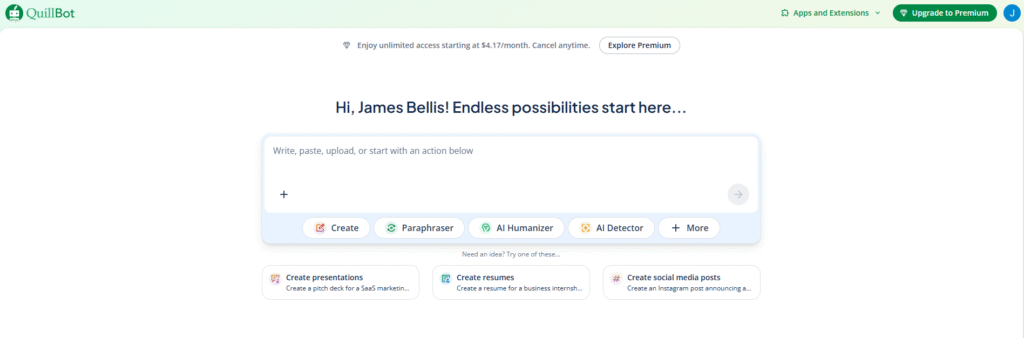
QuillBot has evolved to become a comprehensive content creation tool that every writer should have in their kit. What began as a simple paraphrasing tool now includes features such as a grammar corrector, AI detector, plagiarism detector and a somewhat free AI humanizer. QuillBot is one of the most versatile, affordable AI-based writing assistants available.
The paraphrasing tool is still QuillBot’s best feature, with various modes such as Standard, Fluency, Creative, etc. You can easily create alternative expressions for sentences or even complete paragraphs.
The grammar checker detects errors and gives suggestions in real-time. Although it is not as comprehensive as tools such as Grammarly, it does a good job of covering the basic requirements. You can get error suggestions for grammar, punctuation and style elements at an affordable fee.
QuillBot’s AI detector helps identify any AI-generated content in documents. This is useful for students, teachers and content managers who need to verify the authenticity of content. Although the AI detector is not 100% accurate, it can identify AI-generated content with distinct characteristics most of the time.
The plagiarism detector checks billions of web pages to ensure your content is original. For writing academic papers and creating professional content, QuillBot’s plagiarism detection tool provides peace of mind. You can use the AI humanizer to create content generated by AI to sound more natural, although it cannot compete with tools like ReHumanize AI in terms of ability.
Quilbot Pricing
QuillBot offers a generous free plan with limited features. The Premium plan costs $9. 95 per month (or less with an annual subscription) and offers unlimited paraphrasing capabilities, advanced grammar checks, faster processing speed and access to all features, including the plagiarism checker.
Quilbot Pros and Cons
-
All-in-one tool at an affordable price
-
Good paraphrasing capabilities with multiple options
-
Effective grammar correction at an affordable price
-
Includes an AI detector and a plagiarism checker
-
Free plan offers useful features
-
Available across browsers and devices
-
Good value compared to buying individual tools
-
Each individual feature is not as strong as the dedicated tools available!
7. ProWritingAid (Best for authors)
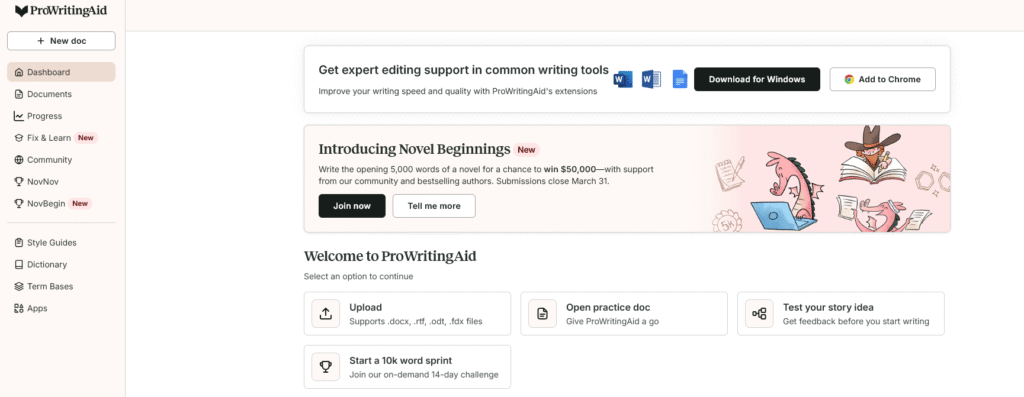
ProWritingAid is the go-to writing tool for novelists, short story writers and authors of long-form fiction. While other AI tools designed for writers focus on creating marketing content or blogging, ProWritingAid understands the challenges faced by creative writers. It helps improve upon manuscript drafts without altering your personal writing voice!
The platform offers more than 20 types of writing reports. These give detailed information about aspects such as sentence structure and pace, overused words and dialogue tags. You can identify repeated phrases, detect weak verbs and identify areas where your writing is dragging. Each report explains what needs to be improved! What makes ProWritingAid useful for fiction writers is its respect for the writing process.
It suggests ways to improve your work, but doesn’t impose strict rules. You can choose your writing style preferences and disregard suggestions that contradict your narrative voice. Whether you are working on literary fiction, thrillers or romances, this tool has got you covered.
The Word Explorer feature allows you to identify great words to improve your writing flow without having to leave your document. Click on any word to access a list of synonyms, related words and example sentences. Working on improving your writing flow becomes quick and efficient.
ProWritingAid is compatible with Scrivener, Word, Google Docs and other tools used by authors. You can carry out your writing tasks from the comfort of your favorite writing environment. The desktop application can be used offline, as long as good internet connectivity is not available.
ProWritingAid Pricing
ProWritingAid offers a limited free version to try it out. The Premium plan costs $10 per month, providing complete access to all writing reports and integration features. The Premium Pro plan costs $15 per month, offering unlimited rephrase suggestions using AI technology, along with 50 AI sparkers for creating new content.
ProWritingAid Pros and Cons
-
Designed for creative writers and authors
-
More than 20 detailed writing reports
-
Respects the author’s tone and creative freedom
-
Available with Scrivener and popular writing software
-
Available as a Desktop Version to work offline
-
Good to identify any repetitive pattern in writing
-
Detailed descriptions to improve writing skills
-
The interface can feel overwhelming initially
8. Hemingway Editor (For Content Editing)
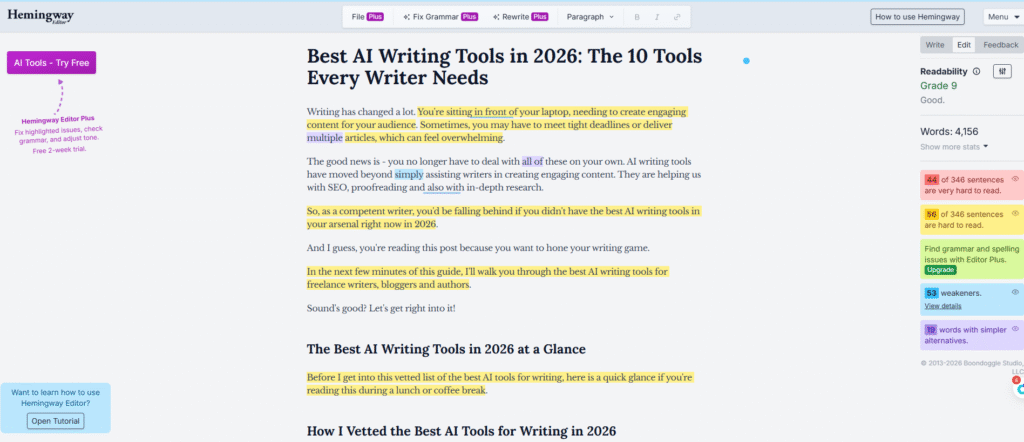
Hemingway Editor focuses on making your text easy to read. This tool can help make your writing clear and powerful by pointing out complicated sentences, passive voice, and unnecessary adverbs. It’s ideal for content creators looking to deliver their key message with a strong impact.
The editor highlights areas of improvement in your text. Yellow indicates sentences that are difficult to understand. Purple flags words that can be replaced with easier ones. Green detects instances of passive voice. Blue points out adverbs you could do without.
What sets Hemingway Editor apart as one of the best AI tools for writers is its simplicity of use. No training or tutorials needed! Simply paste in your text and see straight away what needs improving. The readability score tells you how well your content matches the reading age of your target audience.
The latest update comes with artificial intelligence features. Grammar Fix offers automatic grammar checks. Hemingway has upgraded from a simple tool to offer comprehensive content creation solutions.
Hemingway is suitable for creating blog posts, marketing copies and any type of content requiring good clarity. If you write for a general audience, Hemingway helps ensure that all your readers can understand your message. Technical writers who deal with complicated topics can benefit from Hemingway’s ability to present information in simple language.
Hermingway Pricing
Hemingway Editor offers a free web-based version with basic features. The desktop application costs $19. 99 as a one-time payment offering the advantage of offline access.
The Hemingway Plus subscription plan is available at $10 per month, featuring advanced AI-enabled features such as grammar corrections and sentence rewording.
Hemingway Pros and Cons
-
Identifies areas of poor readability
-
Color coding highlights places of concern
-
Simple interface with no need to train
-
Encourages a clear and direct writing style
-
One-time purchase available for the desktop app
-
AI capabilities enhance basic features
-
Can be used offline with the paid version
-
Focuses on improving readability and not on other areas of writing
9. Sudowrite (Best for Novelists)
Sudowrite is the leading AI tool designed for creative writing, particularly catering to novelistsworking on fiction projects. Unlike common AI writing tools, Sudowrite understands elements of story structure, character development, and narrative flow. It helps writers deal with creative blocks and discover new ways to express themselves.
This tool provides exclusive features for fiction writers. The Story Engine helps create story outlines and breaks down plots. The Character Development Tool allows you to explore characters’ back stories and motivations. The Describe feature takes your brief descriptions and adds sensory details and vivid images to create engaging passages of text.
Sudowrite’s Brainstorming mode generates ideas when you are stuck. Need some plot twists, character names, or setting descriptions? Sudowrite suggests relevant details based on the tone and genre of your book.
The AI tool recognizes the differences between writing Mystery, Romance or Science Fiction stories and offers relevant suggestions accordingly!
You can make prose lyrical, create engaging action scenes or modify dialogue tags. Sudowrite’s Expand feature helps you turn your outline or basic draft into detailed descriptions of scenes with character dialogues.
What distinguishes Sudowrite from other AI writing tools is its ability to keep your tone. Based on your existing writing style, the Artificial Intelligence (AI) learns and provides suggestions that seem to be written by you. Whether you are a novelist seeking to maintain a consistent tone throughout your book, Sudowrite is ideal for you.
SudoWrite Pricing
Sudowrite provides a limited no-charge trial to test out the platform. The Hobby & Student plan comes at $19 per month with 225,000 AI credits. The Professional plan is available at $29 per month with 1,000,000 credits. Sudowrite’s Max plan offers unlimited access at $129 per month – ideal for full-time authors working on multiple books!
SudoWrite Pros and Cons
-
Created especially for Fiction Writers
-
Exclusive features to develop plots and characters
-
Learns and maintains your writing style
-
Effective tool to overcome writer’s block
-
Genre-specific ideas to craft diverse stories
-
Helps expand outlines into descriptive scenarios
-
Story Engine for developing plots
-
Higher cost compared to general-purpose writing tools.
FAQs on the Best AI Writing Tools in 2026
What is the best AI writing software in 2026?
Choosing the best writing tools for 2026 really depends on what you need. As an ai writer, you have plenty of options. ChatGPT remains a top-tier ai text generator handling diverse content generation tasks with ease. Grammarly excels as an ai assistant for editing and polishing your work. For SEO-driven ai content generator needs, NeuronWriter is a strong contender. Tools like ProWritingAid and Sudowrite are solid top picks for creative writers. ReHumanize AI stands out as a generative ai solution for bypassing detection systems. Most writers combine two or three tools for content to cover all bases effectively.
What free AI writing tools are available in 2026?
Plenty of capable ai writing software options won’t cost you a penny in 2026. As an ai platform, ChatGPT and Gemini both offer generous free plans for everyday content generation. Grammarly’s free tier works well as a basic ai assistant for grammar checking. QuillBot’s free version doubles as a handy ai text generator for paraphrasing tasks. Hemingway Editor offers a completely free web-based tool for content clarity. Whether you need to generate content or simply sharpen your prose, these tools for 2026 deliver real value without the price tag.
Which is the best AI tool for editing and proofreading?
When it comes to editing, Grammarly leads the pack as the go-to ai writing software for writers in 2026. It works seamlessly across platforms, functioning like a smart ai assistant that learns your style over time. ProWritingAid is another best tool for authors needing in-depth reports on their work. Hemingway Editor improves readability, making it a practical choice among tools for content clarity. For thorough results, pair Grammarly with a specialist ai content generator tailored to your writing niche. Together they cover everything from ai search optimization to stylistic refinement.
Conclusion
Having good AI writing tools can change how we create content. These 10 tools cater to tasks ranging from generating ideas to making the final touches.
While ChatGPT and Gemini offer great flexibility, Grammarly helps in improving the language used. Need good SEO content? NeuronWriter and Frase have got you covered! Want to avoid AI detectors? ReHumanize AI can help you deal with them!
Using a combination of tools is the best strategy. Use AI tools to generate ideas and create drafts. Make them polished using editing tools. Enhance your search engine rankings. Add a human touch where needed. Each tool is designed to perform specific tasks. Together, they create a complete writing routine!
Start with the free versions to identify which ones fit well into your work routine. Most writers use between 3 and 5 tools on a regular basis. The set of tools you need depends on whether you write fiction, market-related content or academic papers. Give these AI writing tools a try and create your own personalized toolset for 2026!